
Your week on one page: Google Calendar beside your tasks.
Tend is an Android weekly planner. It shows your Google Calendar events next to your to-dos, and anything you didn't finish moves to today on its own. No red "overdue" pile.
Two things Tend does differently
Unfinished tasks move to today on their own
Google Tasks keeps yesterday's unfinished tasks under "Past", and Google Calendar lists them as overdue. Their dates stay the same. Moving them means changing each one by hand. On Google's help forum the answer is "there's no way to bulk edit Tasks". In Tend, anything you didn't finish moves to today on its own, without an overdue label.
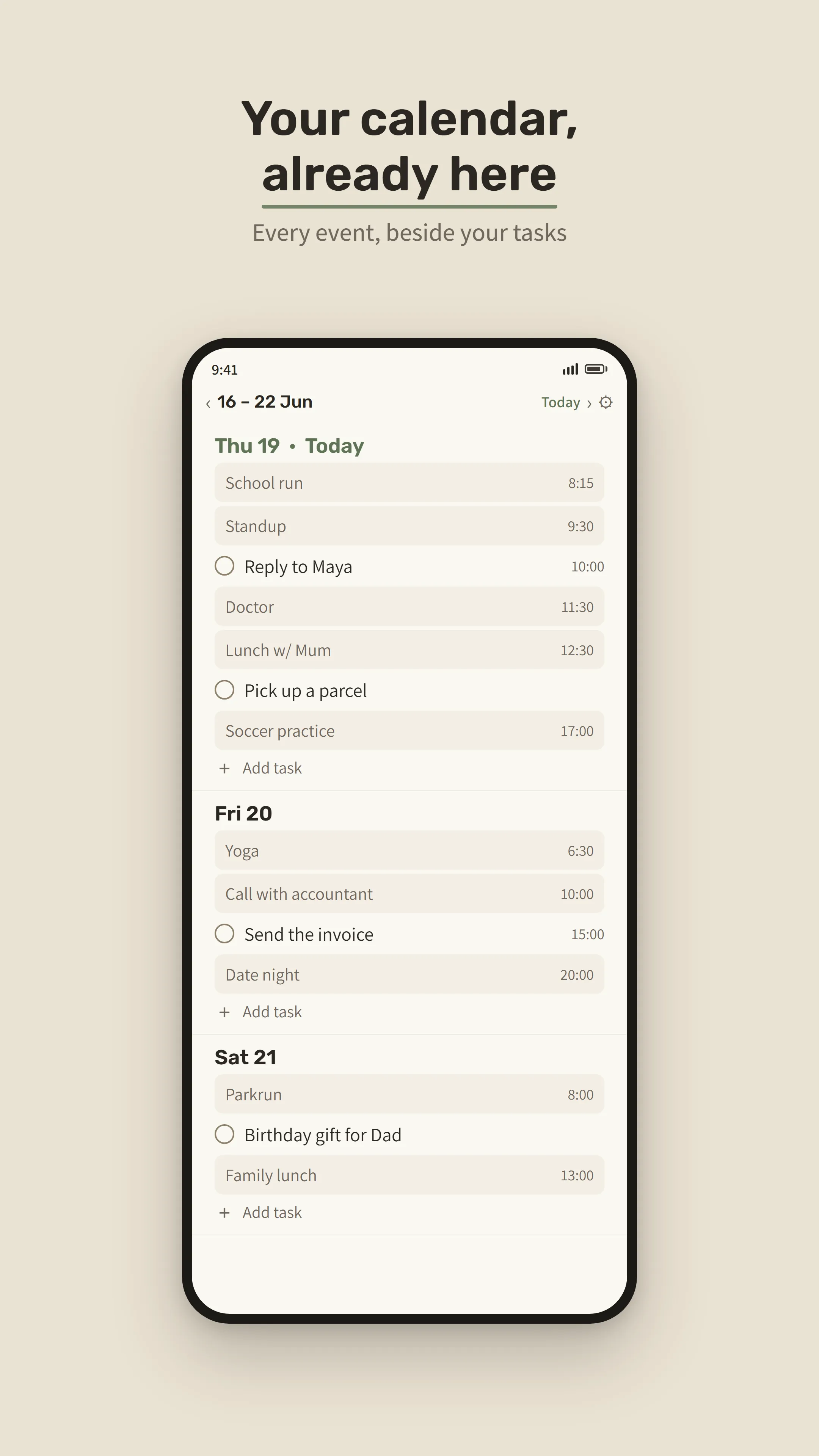
Your events and your to-dos together, in the app and on your home screen
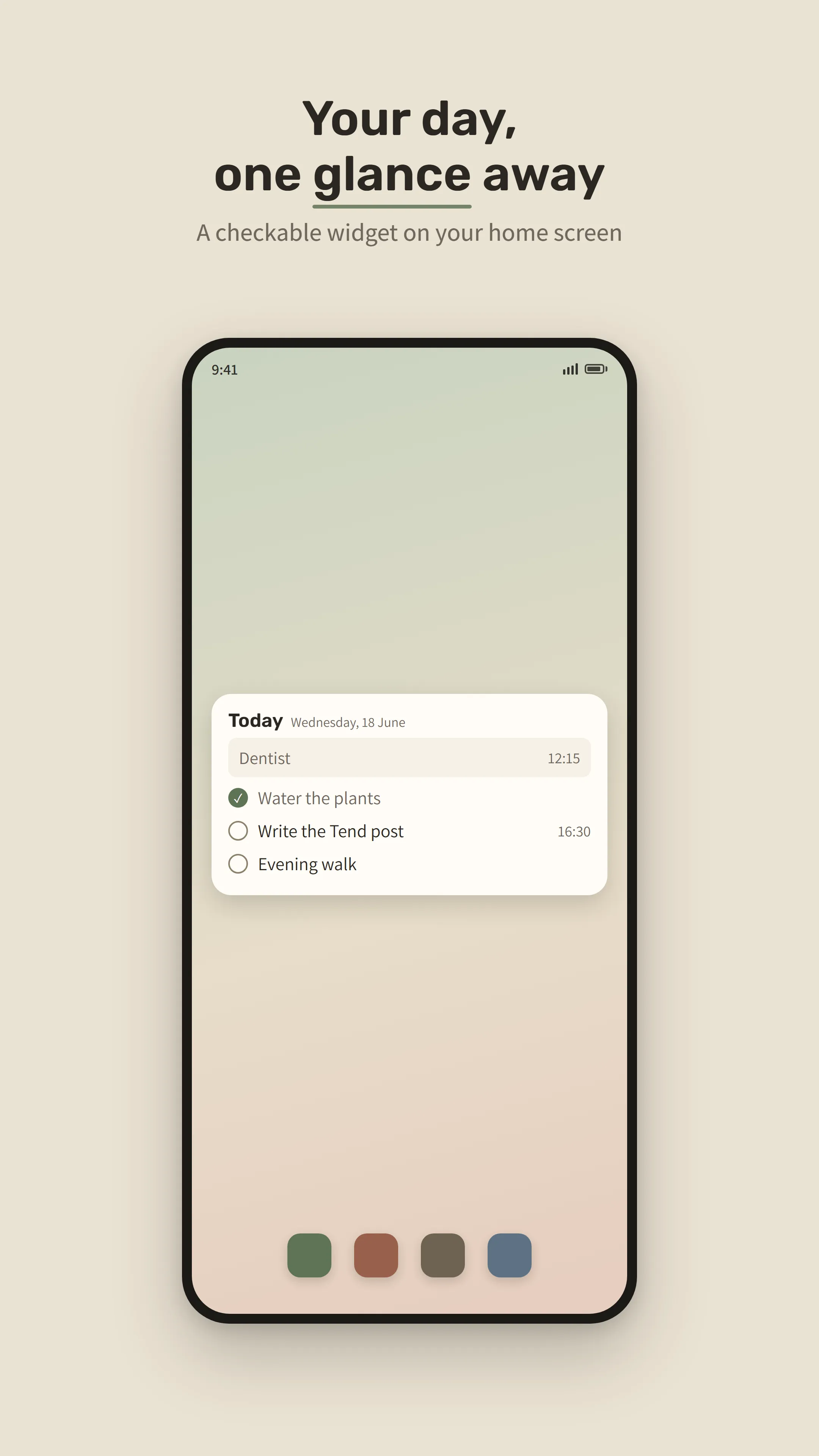
Tend's week view puts each day's Google Calendar events and tasks in one list. The widget shows today's events and tasks, and you can check tasks off without opening the app.
To be clear: Tend keeps its own to-do list. It doesn't read or change Google Tasks, and it only reads your calendar. It never edits it.
Why I made Tend
My life felt like chaos, and nothing was moving. My therapist told me to plan my week, so the things I wanted would start to move. I looked for something simple: a place for my tasks, where whatever I didn't finish rolls to the next day, with no shame and not too much noise. The planners I tried were bloated and expensive. So I built Tend.
— Ezra Halevi, who makes Tend on his own (he also makes Pause Moment)
Questions
Does Tend work with Google Tasks?
No. Tend has its own to-do list. It doesn't read, import or change Google Tasks.
Does Tend change my Google Calendar?
No. Tend reads your Google Calendar events so it can show them beside your tasks. It never adds, edits or deletes events.
What happens to tasks I don't finish?
They move to today on their own, without an overdue label.
Is there a home-screen widget?
Yes. The widget shows today's events and tasks, and you can check tasks off without opening the app.
How much does Tend cost?
Tend is free for 14 days, with no card needed. Then a single one-time purchase unlocks it. There is no subscription. Google Play shows the price in your currency.
Is Tend on iPhone?
No. Tend is for Android only.
Do I need an account?
No. There's no account and no ads. Your tasks stay on your phone and work offline.
Price
Free for 14 days, no card needed. Then one payment unlocks Tend for good. No subscription, no ads, no account. Your tasks stay on your phone and work offline.
Android only.