
It depends on why you're leaving. If you want free and simple, Google Tasks works inside Google Calendar. If you want more features, TickTick, Any.do or Todoist, which are subscriptions for the full app. If you're leaving because the widget keeps breaking or the sign-in is a chore, and you want your week with your calendar, Tend needs no account and pays once.
Why do people leave Microsoft To Do on Android?
We read 8,036 recent Google Play reviews of nine to-do apps in October 2026. In Microsoft To Do's 750 low-star reviews, the widget was the most common complaint (163 reviews), usually after an update: "The widget stopped working on latest update." Sign-in came up too: "It's now easier to log into my banking app than it is to log into a Microsoft account.... it's just a list of things to do."
There's also the question of where the app is going. Directions on Microsoft, an independent analyst, wrote in April 2025: "New development seems to have stopped: Microsoft lists no planned near-term improvements in its own roadmap" (Directions on Microsoft).
What its widget does: you can "add new tasks to My Day" and "view your existing tasks", and apps on an SD card can't show widgets (Microsoft Support). It doesn't show your calendar events.
Checked on 13 October 2026.
What are the alternatives to Microsoft To Do on Android?
- Google Tasks: free, and tasks with dates show in the Google Calendar app (Google Calendar Help). Unfinished tasks stay on their old date as overdue (more on that).
- TickTick: lists, a calendar view and widgets. Free with "Basic" calendar and widgets; Premium is US$49.99 a year (TickTick).
- Any.do: to-dos and a calendar together. Its free plan doesn't include recurring tasks; Premium is $7.99 a month or $4.99 a month billed yearly (Any.do pricing).
- Todoist: projects and labels on every device. Pro went to $60 a year in December 2025, and Google Play subscriptions renew at the new price (Todoist Help).
- Tend: an Android weekly planner that shows your Google Calendar events beside your tasks and moves unfinished tasks to today on their own. No account, no ads, and a one-time purchase after a 14-day free trial.
A widget that shows your whole week, with no sign-in
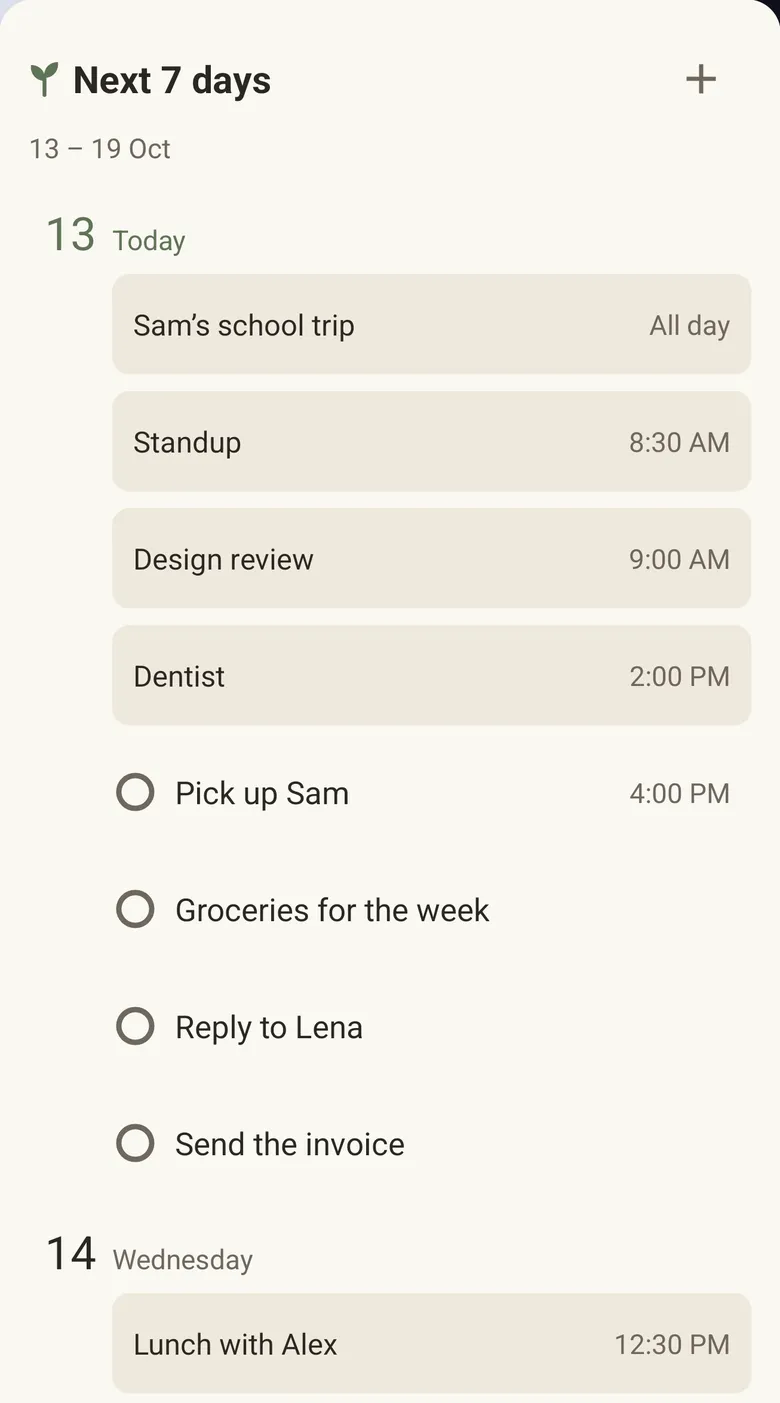
Tend has two home-screen widgets. Today shows today's events and tasks. Week shows the next 7 days, every day with its own heading, its Google Calendar events and your tasks. You tick tasks off right on the widget. There's no account to sign in to, and your tasks stay on your phone and work offline.
What Tend doesn't do, so you can decide quickly: no Windows or web app, and no shared or family lists. It can remind you before any task that has a time, and send one optional overview of your day. It doesn't read or change Google Tasks, and it only reads your calendar. If you need those, Microsoft To Do still does them well, for free.
Why I made Tend
My life felt like chaos, and nothing was moving. My therapist told me to plan my week, so the things I wanted would start to move. I looked for something simple: a place for my tasks, where whatever I didn't finish rolls to the next day, with no shame and not too much noise. The planners I tried were bloated and expensive. So I built Tend.
 Ezra Halevi
What else do people ask when leaving Microsoft To Do?
Is Microsoft To Do still being developed?
Directions on Microsoft, an independent analyst, wrote in April 2025 that new development seems to have stopped, with no planned near-term improvements on Microsoft's own roadmap.
Why does the Microsoft To Do widget stop working?
Reviewers most often say it stopped after an app update. Open the app once, then remove and re-add the widget. Microsoft says widgets don't work when the app is installed on an SD card.
Is there a free alternative to Microsoft To Do on Android?
Google Tasks is free and shows your dated tasks inside the Google Calendar app. Tend is free for 14 days, then a one-time purchase, with no subscription.
Does Tend have shared lists or a Windows app?
No. Tend is Android only, keeps your tasks on your phone and has no shared lists. If you rely on those, stay with Microsoft To Do or try Any.do or TickTick.
Do I need an account for Tend?
No. There's no account and no sign-in. Your tasks stay on your phone and work offline.