
Todoist Pro went from $48 to $60 a year, and from $5 to $7 a month, from 10 December 2025. On Android you pay the new price: Todoist says Google Play subscriptions renew at it, while App Store subscribers keep their old one. If you mostly use Todoist to plan your days, you have cheaper options, from its free plan to an app you pay for once.
What changed in Todoist's price?
- Monthly: $5 → $7. Yearly: $48 → $60 ($4 → $5 a month).
- From 10 December 2025, at your next renewal on or after that date.
- "Subscriptions managed via Google Play will automatically renew at the new price." App Store subscribers "stay on the Pro Legacy plan at your current price" (Todoist Help).
Prices in US dollars, checked on 13 October 2026.
Why are people leaving Todoist over it?
Money is the most common reason people give for leaving a to-do app. When we read 8,036 recent Google Play reviews of nine to-do apps, price or paywall complaints were the top complaint for Todoist, Any.do and TickTick. Todoist reviewers tie the rise to features they don't use: "Some of us do not use the AI features, and just need reminders and more than 5 projects." Another wrote: "The price has soared beyond its value, seemingly in the name of AI features I am not interested in."
What can I do instead?
Stay on Todoist's free plan
The free Beginner plan has 5 personal projects, 3 filter views and task reminders. The calendar layout is a Pro feature (Todoist pricing). If you live in a handful of projects and don't need the calendar, this costs nothing.
Move to another subscription
TickTick Premium is US$49.99 a year (TickTick). Any.do Premium is $7.99 a month, or $4.99 a month billed yearly, and its free plan doesn't include recurring tasks (Any.do pricing).
Go free: Microsoft To Do
Free with a Microsoft account, with My Day, lists and an Android widget (Microsoft Support). It doesn't put your calendar beside your tasks.
Pay once: Tend
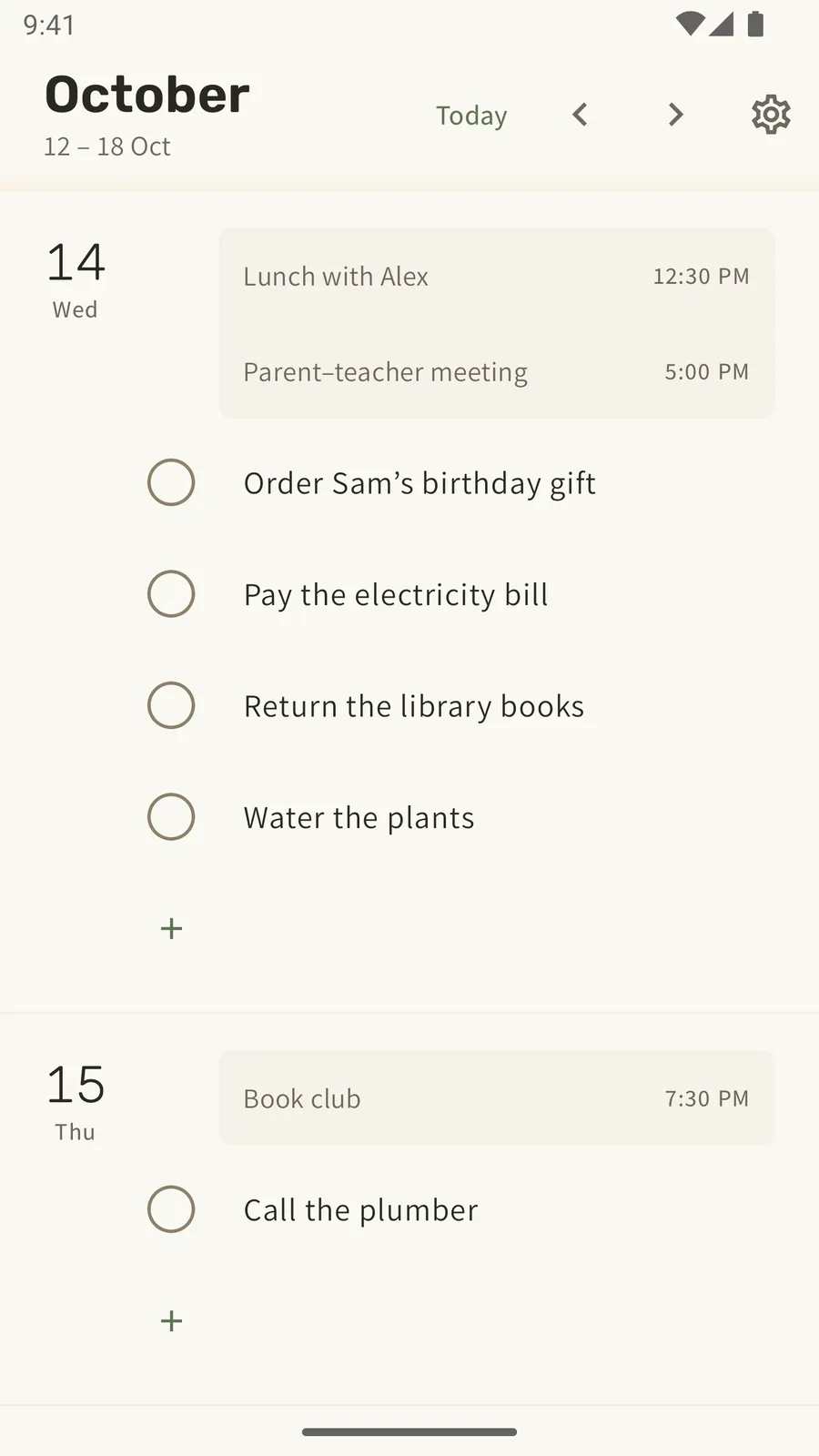
Tend is the Android weekly planner I make. It shows your Google Calendar events beside your tasks, day by day, and moves unfinished tasks to today on their own, without an overdue label. Repeating tasks, the week view and both home-screen widgets come with it. It's free for 14 days, then one payment unlocks it for good. No subscription, no account, no ads, no AI.
Is Tend a Todoist replacement?
For some people, yes, and for others, no. Here's the honest split.
- Tend fits if you use Todoist to plan your days and week on your phone, you live in Google Calendar, and you're tired of paying monthly for it.
- Tend doesn't fit if you need projects and labels, a desktop or web app, shared lists, or two-way calendar sync. Tend is Android only, reads your Google Calendar without changing it, and doesn't read Google Tasks or import from Todoist.
Why I made Tend
My life felt like chaos, and nothing was moving. My therapist told me to plan my week, so the things I wanted would start to move. I looked for something simple: a place for my tasks, where whatever I didn't finish rolls to the next day, with no shame and not too much noise. The planners I tried were bloated and expensive. So I built Tend.
 Ezra Halevi
What else do people ask about Todoist's price?
How much did Todoist's price go up?
Todoist Pro went from $5 to $7 a month, and from $48 to $60 a year, from 10 December 2025, at your next renewal on or after that date.
Do Android users pay the new Todoist price?
Yes. Todoist says subscriptions managed through Google Play renew at the new price. Subscribers on the App Store stay on the Pro Legacy plan at their current price.
What does Todoist's free plan include?
Todoist's free Beginner plan includes 5 personal projects, 3 filter views and task reminders. The calendar layout is listed under Pro.
Is there a to-do app for Android without a subscription?
Yes. Microsoft To Do is free. Tend is a one-time purchase after a 14-day free trial: no subscription, no account and no ads.
Can I import my Todoist tasks into Tend?
No. Tend has no import. It's built to plan a week at a time, so most people write this week's tasks in fresh. Repeating tasks take a minute to set up again.